

April 20, 2026•9 min read
YouTube Algorithm Hacks 2026
Discover the 2026 YouTube algorithm hack. Learn how to trigger the 'Candidate Generation' engine and build a 'Retention Ripple' that guarantees views.
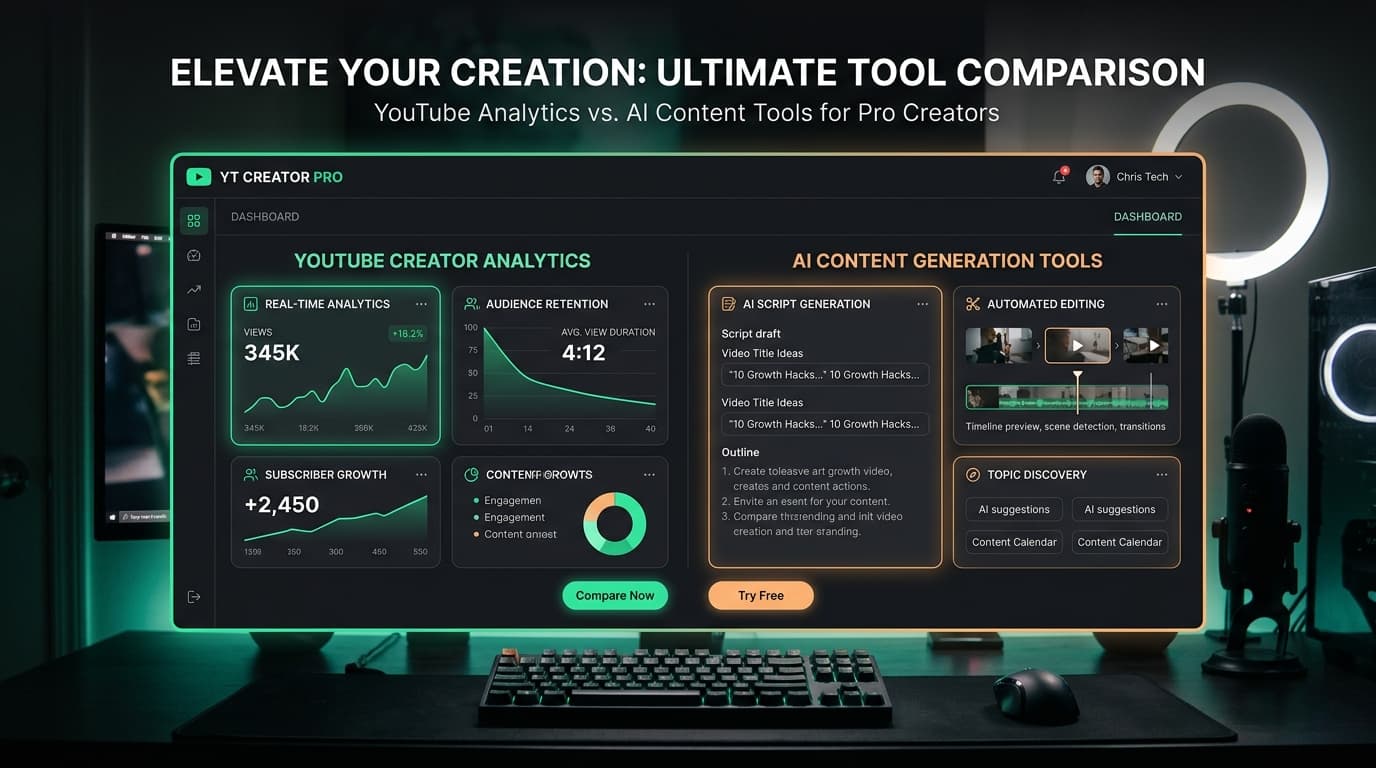
Built for Creators Starting from Zero

Chrome extension • Built for channels with 10K+ subs

AI Creator Engine • Built for creators starting from zero
TubeBuddy gets recommended in almost every "How to Grow on YouTube" video. It's established, trusted, and has been a staple in creator circles for nearly a decade.
But here is the uncomfortable truth nobody talks about: TubeBuddy was architected for channels that already have an audience.
Its headline features — A/B thumbnail testing, bulk description updates across 200 videos, and deep competitor telemetry — only produce actionable outcomes when you already receive thousands of impressions per upload. If you are a beginner with under 1,000 subscribers, these features are either locked behind paid plans or mathematically useless at your channel size.
In this guide, we reveal what TubeBuddy's free plan actually gives beginners in 2026, explain why content creation tools deliver vastly higher ROI than analytics extensions, and introduce the top free alternatives that help you publish videos that actually get viewed.
The Extension Reality Check
TubeBuddy operates as a Chrome browser extension that overlays data inside YouTube Studio. Here is an honest breakdown of what you receive on their free tier vs their paid tier:
| Feature | TubeBuddy Free | TubeBuddy Pro |
|---|---|---|
| Tag Suggestions | Basic tag suggestions | Full keyword list |
| SEO Studio Score | Basic score grade | Full checklist |
| Thumbnail Preview in Feed | ✓ Included | ✓ Included |
| A/B Title & Thumbnail Testing | ✕ Locked | ✓ Included |
| AI Video Scriptwriting & Hooks | ✕ Not Supported | ✕ Not Supported |
| Bulk Metadata Processing | ✕ Locked | ✓ Included |
What this means for you: On TubeBuddy's free tier, you get basic tag suggestions and an SEO grade. But in 2026, YouTube itself has stated that tags play a negligible role in discovery compared to titles and viewer satisfaction signals.
Right Tool, Wrong Stage
Updating descriptions across 100 videos simultaneously is a blessing for a channel with 500 uploads. If you have 8 videos, it solves a problem you don't have.
To reliably determine whether Thumbnail A or Thumbnail B wins, you need 5,000+ impressions per variant. If your videos get 350 impressions, A/B testing is pure random noise.
Benchmarking graphs against established creators is helpful when you have consistent seasonal data. For beginner channels, it causes comparison paralysis without actionable advice.
TubeBuddy doesn't write your 30-second retention hook, doesn't structure your script outline, and doesn't calculate the best hour to publish for your niche.
As a beginner, your only job is to make your next video as compelling as possible. You need high-CTR titles, retention hooks, and optimal upload timing.
Modern, AI-driven solutions
Cre8virals was designed from the ground up for the beginner workflow. You don't need a back catalogue of 100 videos or thousands of subscribers to get value. You type in an idea and Cre8virals handles the creative heavy lifting.
✓ 3 AI Title & Description generations
✓ 2 AI Script & Hook generations
✓ 3 Best Upload Time checks
✓ 100% Free, no credit card required
Basic (₹299/mo): 10 titles, 10 scripts, 7 thumbnails, 7 growth analyses, 10 upload times
Pro (₹1,499/mo): 50 of each per month
VidIQ's free tier provides 3 keyword searches per day with search volume indicators. For a full breakdown, read our VidIQ Free Alternative 2026 guide.
Built right into your YouTube account at zero cost. Once you publish your first 5–10 videos, YouTube Studio provides flawless audience retention charts.
Useful for rough brainstorming, though it lacks real-time YouTube trending data and cannot identify peak upload time windows.
Side-by-side capability audit
| What a Beginner Needs | TubeBuddy Free | Cre8virals Free |
|---|---|---|
| AI-Generated Viral Titles | ✕ Locked | ✓ 3 Generations |
| Video Hook & Script Outline | ✕ Not Supported | ✓ 2 Full Scripts |
| Best Upload Time for Niche | ✕ Not Supported | ✓ 3 Time Checks |
| Works Without Upload History | Partial | ✓ From Day 1 |
| Browser Extension Required | Yes (Chrome Extension) | No (Instant Web App) |
| Best Stage | Channels with 10K+ subs | Beginners & Growing Channels |
Here is what happened when we entered a simple 1-sentence topic into Cre8virals without touching any complex settings.
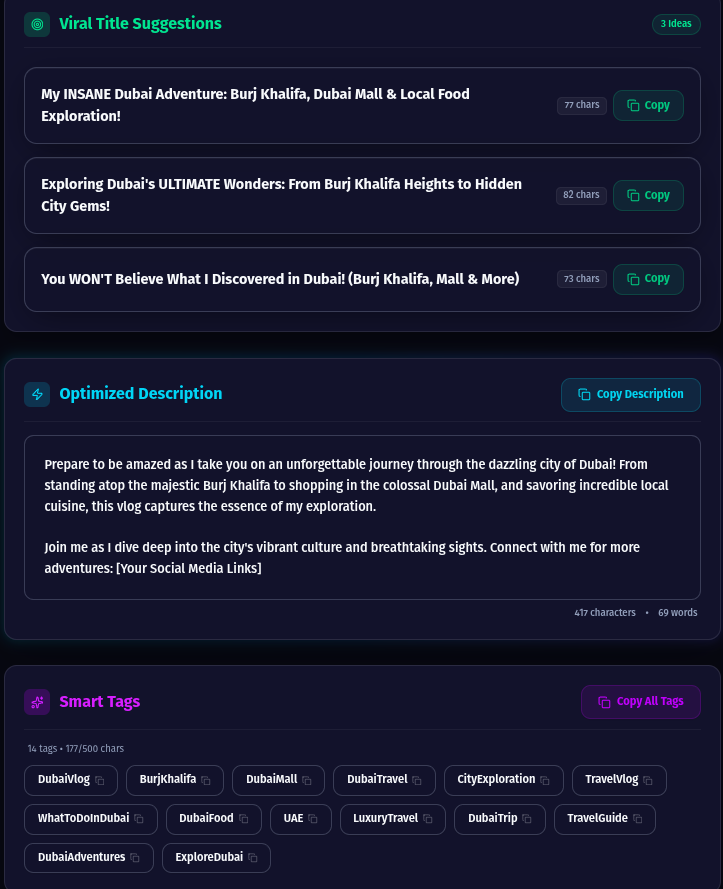
"My INSANE Dubai Adventure: Burj Khalifa, Dubai Mall & Local Food Exploration!"
High-energy curiosity trigger with strong visual anchors.
"Exploring Dubai's ULTIMATE Wonders: From Burj Khalifa Heights to Hidden City Gems!"
Superlative framing for maximum browse click-through rate.
"You WON'T Believe What I Discovered in Dubai! (Burj Khalifa, Mall & More)"
Curiosity gap formula that sparks viewer intrigue.
Your pre-upload checklist
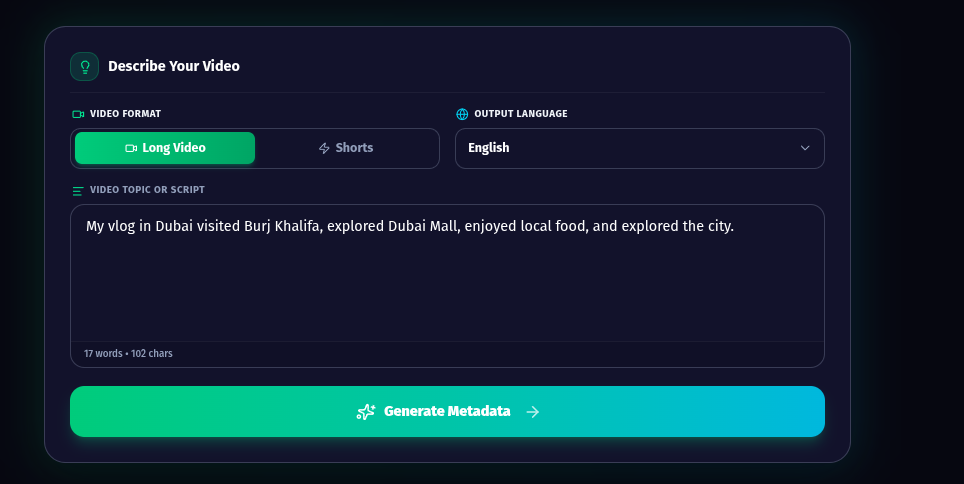
Open the Title & Metadata Generator, select your video format (Long Video or Shorts), and describe your topic:
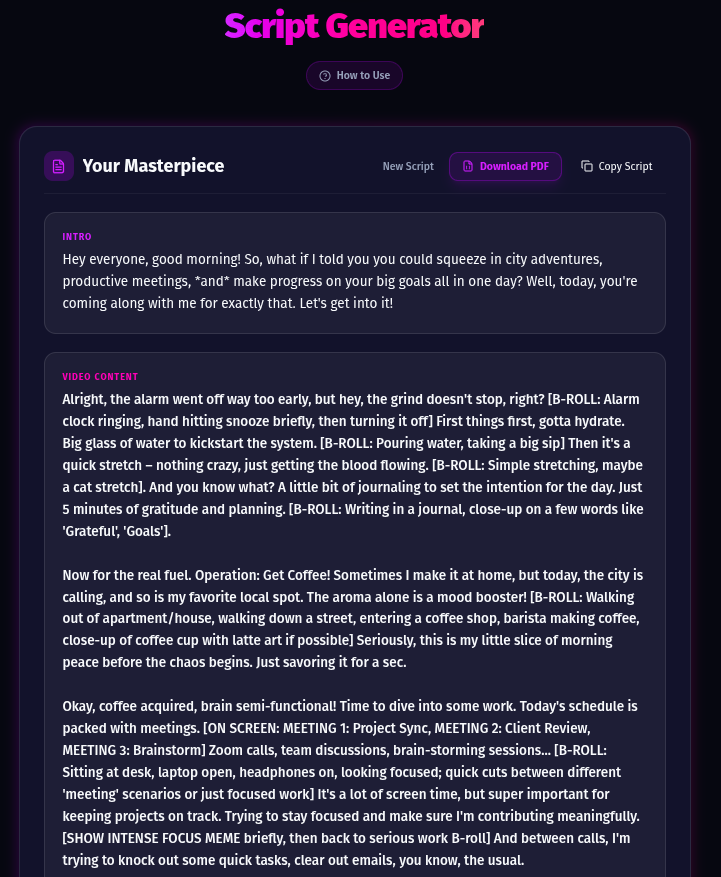
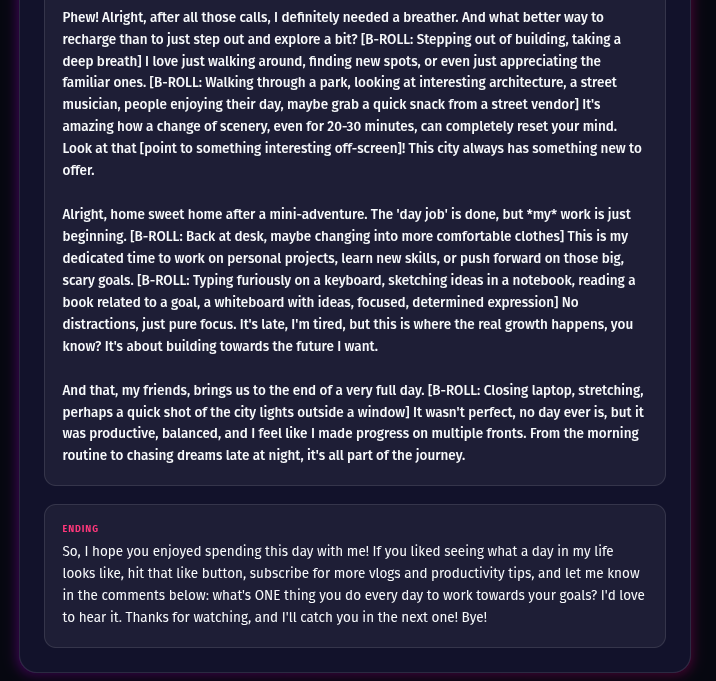
Paste your chosen title into the Script Generator to get your full script with camera and B-ROLL cues (shown below in 2 screenshots):
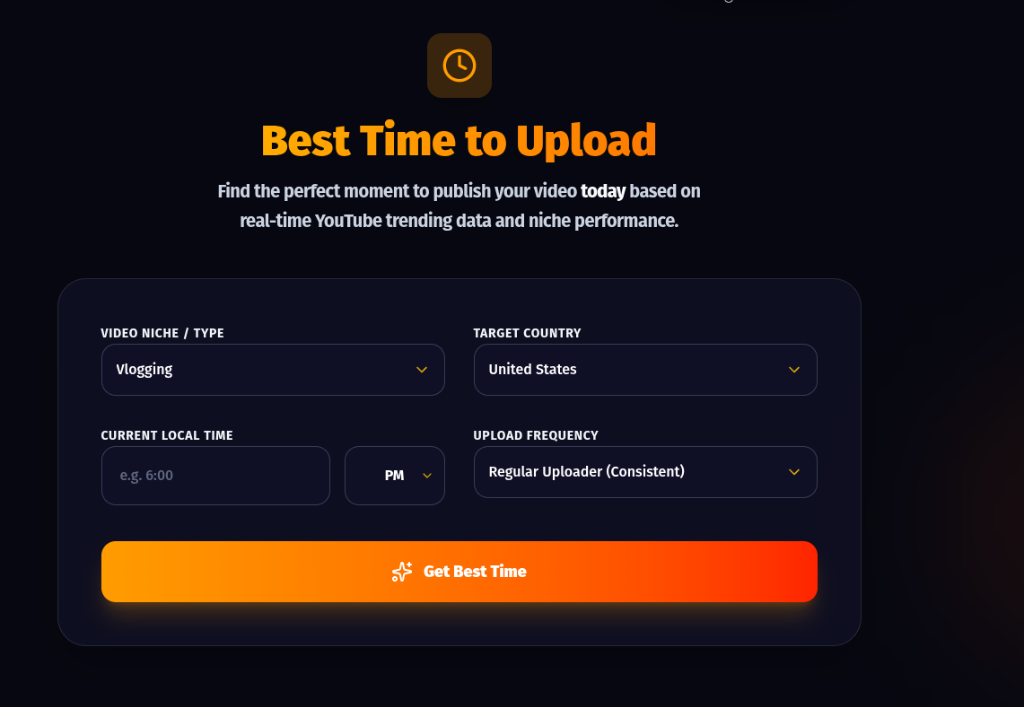
Use the Best Time to Upload Calculator to pinpoint the exact hours your category gets maximum engagement:
Cre8virals is built specifically for content creation and pre-upload optimization. It does not:
If you already manage a channel with 50,000 subscribers and 400 uploaded videos, TubeBuddy Pro or VidIQ Boost might be suitable for bulk maintenance. But for creators building their audience, Cre8virals provides the tools that actually generate traffic.
TubeBuddy was created as a browser extension for channel administration and tag management. Cre8virals is an all-in-one content creation engine that handles the entire video development cycle. Here is a direct comparison of tools provided:
| Feature / Tool | Cre8virals Free | Cre8virals Basic | TubeBuddy |
|---|---|---|---|
| Viral Titles & Descriptions | 3 Full Generations | 10 Full Packages | Basic tag suggestions |
| Complete Video Scripts | 2 Full Scripts | 10 Full Scripts | ✕ Not Supported |
| 30s Retention Hooks | ✓ Included in every script | ✓ Included in every script | ✕ Not Supported |
| Camera & B-Roll Directions | ✓ Included | ✓ Included | ✕ Not Supported |
| Peak Upload Time by Niche | 3 Timing Checks | 10 Timing Checks | ✕ Not Supported |
| AI Thumbnail Generator | — | ✓ 7 Generations | Manual template maker |
| Channel Growth Analysis | — | ✓ 7 Full Audits | Channel statistics |
| Browser Extension Needed | No (Instant Web App) | No (Instant Web App) | Yes (Chrome Extension) |
In limited ways, yes. The tag suggestion feature in TubeBuddy's free tier is handy for quickly adding relevant tags. The thumbnail preview tool lets you see how your thumbnail looks in the YouTube feed before uploading. Beyond these two utility features, most of TubeBuddy's value — A/B thumbnail testing, competitor analytics, and bulk metadata tools — requires either a paid subscription or a large audience to be statistically useful.
For creative pre-upload tasks (high-CTR titles, 30s hooks, video scripts, and upload timing), Cre8virals offers the strongest free tier (3 titles, 2 scripts, 3 upload time checks with zero credit card). For post-upload analytics, YouTube Studio native analytics is unbeatable and 100% free. For basic tag placement, TubeBuddy free serves as a quick utility. Pairing Cre8virals with YouTube Studio gives beginners the ultimate free setup.
No. Cre8virals is a lightweight web application. You open it in any browser on any device, log in, and use it immediately — without installing intrusive Chrome extensions that request broad read/write permissions to your YouTube Studio account.
A tool alone doesn't grant subscribers, but Cre8virals directly optimizes the three metrics the YouTube algorithm cares about most: click-through rate (high-curiosity titles), average view duration (retention-engineered hooks), and velocity (optimal upload timing). Consistently optimizing these three levers is how small channels escape zero impressions and cross their first 1,000 subscribers.
Yes, they can complement each other. Use Cre8virals during your creative process before filming (ideating titles, crafting hooks, writing scripts, and planning upload windows). Use TubeBuddy's free tier as a utility inside YouTube Studio for tags. They do not overlap because they address different phases of the creator pipeline.
A/B testing titles or thumbnails requires statistical significance. If your video only gets 300 impressions, splitting 150 impressions between two variants is mathematically random noise. You need at least 5,000 to 10,000 impressions per variant before an A/B test reveals real human preference. Beginners should focus on nailing a single proven curiosity hook instead.
Stop wasting time on features designed for million-subscriber channels. Generate high-CTR titles, viral hooks, and peak upload times with Cre8virals.
Written and reviewed by the Cre8Virals editorial team — YouTube growth strategists, metadata researchers, and algorithmic SEO specialists with over 5+ years of experience analyzing viral video patterns and channel monetization.
Discover the 2026 YouTube algorithm hack. Learn how to trigger the 'Candidate Generation' engine and build a 'Retention Ripple' that guarantees views.

Learn the psychological triggers that keep viewers watching until the very last second.

Master the YouTube Shorts algorithm. Learn 4 proven tips to explode your views, drive engagement, and leverage the new 3-minute Shorts update for channel growth.